SoftCars
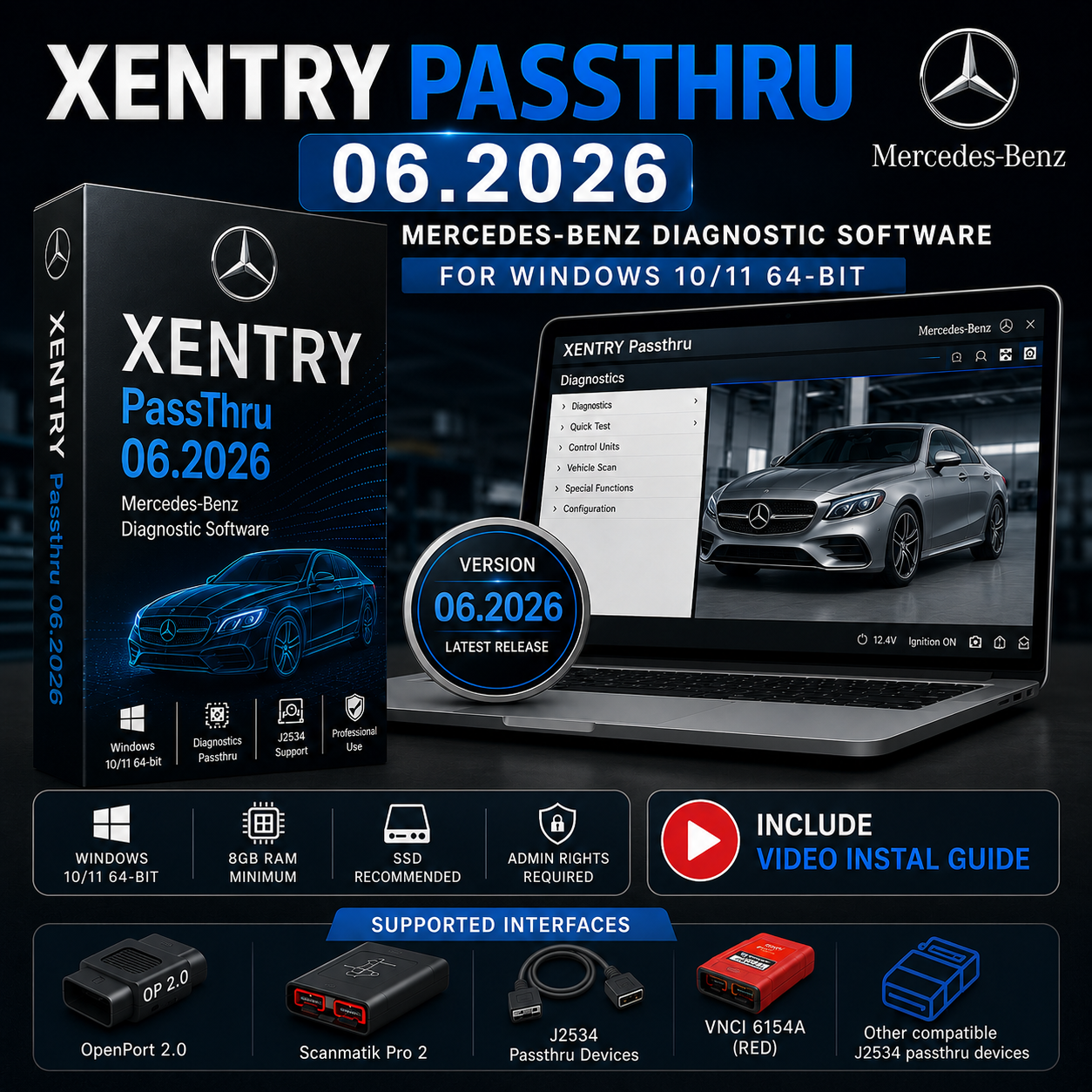
Xentry Passthru 06.2026 – Mercedes-Benz J2534 Diagnostic Software + Video Installation Guide 🚗🔧
Xentry Passthru 06.2026 – Mercedes-Benz J2534 Diagnostic Software + Video Installation Guide 🚗🔧
Couldn't load pickup availability
Xentry Passthru 06.2026 is a professional Mercedes-Benz diagnostic software package designed for technicians and independent automotive workshops using compatible J2534 PassThru diagnostic interfaces.
This June 2026 release provides updated diagnostic data and support for a wide range of Mercedes-Benz passenger cars, vans, Smart, Maybach, and supported FUSO vehicles.
Unlike Xentry OpenShell, which is intended for Mercedes-Benz SDconnect diagnostic interfaces, Xentry Passthru is designed to communicate through compatible third-party J2534 devices.
A detailed Video Installation Guide is included to help you install the software, complete the required setup process, and configure your compatible PassThru interface.
Product Information
Version: 06.2026
Release: June 2026
Software: Xentry Passthru
Category: Automotive Diagnostic Software
Interface Type: J2534 PassThru
Operating System: Windows 10 / Windows 11 64-bit
Delivery: Digital Download
Installation Guide: Video Tutorial Included
Diagnostic Hardware: Not Included
Who Is This Software For?
Xentry Passthru is suitable for automotive technicians and independent workshops that already own a compatible J2534 diagnostic interface and require professional Mercedes-Benz diagnostic capabilities.
It is especially useful for workshops that use PassThru hardware for multiple vehicle manufacturers and want to add Mercedes-Benz diagnostics without purchasing an SDconnect interface.
This software may be suitable for:
- Independent Mercedes-Benz repair workshops
- Automotive diagnostic specialists
- Professional technicians using J2534 hardware
- Workshops servicing multiple vehicle brands
- Users upgrading from an earlier Xentry Passthru release
- Technicians who need updated Mercedes-Benz diagnostic data
Main Diagnostic Features
Depending on the vehicle, diagnostic interface, account permissions, certificates, and online services available to the user, Xentry Passthru can provide access to professional diagnostic functions such as:
Control Unit Diagnosis
Identify installed control units and perform vehicle-specific diagnostic procedures.
Read and Clear Diagnostic Trouble Codes
Access manufacturer-specific fault codes and erase stored faults after completing the required repairs.
Actual Values and Live Data
Monitor available sensor values, operating parameters, control unit status information, and other real-time vehicle data.
Actuation Tests
Activate supported vehicle components and systems for diagnostic testing.
Guided Diagnostic Procedures
Follow vehicle-specific troubleshooting procedures and test sequences provided within the Xentry diagnostic environment.
Control Unit Adaptations
Perform supported initialization, teach-in, calibration, and adaptation procedures.
Service and Maintenance Functions
Access available service resets, battery-related procedures, calibration functions, electronic parking brake operations, and other vehicle-specific maintenance functions.
Coding and Programming Functions
Access supported coding, software update, and programming procedures when the necessary Mercedes-Benz online services, accounts, authorization, certificates, and compatible hardware are available.
Xentry Passthru vs Xentry OpenShell
The most important difference between these two Xentry platforms is the diagnostic hardware they are designed to use.
Xentry Passthru is intended for compatible J2534 PassThru interfaces from various manufacturers.
Xentry OpenShell is designed primarily for Mercedes-Benz diagnostic interfaces such as SDconnect hardware.
Choose Xentry Passthru if you already own a compatible J2534 interface and want to use that hardware for supported Mercedes-Benz diagnostic operations.
Choose Xentry OpenShell when your diagnostic setup is based on compatible Mercedes-Benz SDconnect hardware.
Compatible Diagnostic Interfaces
Xentry Passthru requires a correctly installed and supported J2534 PassThru interface.
Depending on the interface driver, firmware, vehicle, communication protocol, and operating system configuration, compatible hardware may include:
- OpenPort 2.0
- Scanmatik 2 Pro
- VAS 6154
- Supported Autel J2534 interfaces
- Drew Technologies MongoosePro interfaces
- Other correctly implemented J2534 PassThru devices
Important: Compatibility and available diagnostic functions may vary between interfaces and vehicles.
A diagnostic interface is not included with this digital software product.
Generic ELM327 adapters and basic OBD2 code readers are not suitable replacements for a proper J2534 PassThru interface.
Vehicle Coverage
Xentry Passthru provides diagnostic coverage for supported vehicles from the Mercedes-Benz group, depending on model year, vehicle architecture, interface compatibility, and authorization requirements.
Supported vehicle categories may include:
Mercedes-Benz Passenger Cars
A-Class, B-Class, C-Class, E-Class, S-Class, CLA, CLS, GLA, GLB, GLC, GLE, GLS, G-Class, SL, AMG models, and other supported Mercedes-Benz passenger vehicles.
Mercedes-Benz Vans and Commercial Vehicles
Sprinter, Vito, V-Class, Citan, and other supported commercial vehicle platforms.
Smart Vehicles
Maybach Vehicles
Supported FUSO Vehicles
Coverage and available functions vary according to the specific vehicle, control unit, communication protocol, and Mercedes-Benz service requirements.
Important Information for Newer Vehicles
Some newer Mercedes-Benz vehicles use advanced security systems, secure diagnostic access, and DoIP communication.
Full diagnostic access to protected systems may require:
- A compatible DoIP-capable J2534 interface
- Valid Mercedes-Benz user credentials
- Appropriate diagnostic permissions
- Active subscriptions to required Mercedes-Benz online services
- Valid diagnostic certificates or authorization where applicable
- Internet connection
The purchase of this software does not include Mercedes-Benz online accounts, subscriptions, SCN access, diagnostic certificates, or authorization credentials.
System Requirements
For reliable performance, we recommend the following computer configuration:
Operating System: Windows 10 or Windows 11 64-bit
Processor: Intel Core i5 or equivalent minimum
Recommended Processor: Intel Core i7 or equivalent
Memory: 8 GB RAM minimum
Recommended Memory: 16 GB RAM
Storage: SSD strongly recommended with sufficient free disk space
Administrative Rights: Required for installation and configuration
Internet Connection: Recommended and required for supported online operations
Diagnostic Interface: Compatible J2534 PassThru device
Included Video Installation Guide
Your purchase includes access to a detailed Video Installation Guide.
The tutorial demonstrates the installation and setup process step by step, making it easier to correctly prepare your computer and configure the software.
The video guide covers:
- Preparing the Windows system
- Extracting the installation files
- Starting the installation process
- Completing the required setup stages
- Configuring the installed software
- Selecting and preparing the J2534 interface
- Verifying the installation
- Launching Xentry Passthru
Simply follow the video tutorial carefully and complete each step in the demonstrated order.
Before Purchasing
Please confirm that your computer and diagnostic equipment meet the requirements before placing your order.
You should have:
- A Windows 10 or Windows 11 64-bit computer
- Sufficient free storage space
- Administrator access to your computer
- A compatible J2534 PassThru diagnostic interface
- The correct Windows drivers for your interface
- A stable internet connection when using online diagnostic services
- Appropriate Mercedes-Benz accounts, subscriptions, and authorizations for restricted online functions
Important Compatibility Notice
This product provides the Xentry Passthru software package and Video Installation Guide.
Diagnostic hardware is not included.
Mercedes-Benz online subscriptions, SCN coding access, Xentry certificates, user accounts, and paid online services are not included.
The availability of individual diagnostic, coding, programming, and online functions depends on the vehicle, diagnostic hardware, driver implementation, Mercedes-Benz authorization requirements, and active online services.
Please verify the compatibility of your J2534 interface and computer before purchasing.
Digital Product Delivery
This is a digital software product.
No physical product, diagnostic interface, USB drive, DVD, or computer will be shipped.
After completing your purchase, you will receive access to the software download and the included Video Installation Guide.
Xentry Passthru 06.2026 is a practical solution for professional technicians and independent workshops that want to use compatible J2534 PassThru hardware for Mercedes-Benz diagnostics while following a clear, step-by-step video installation guide.
Share