SoftCars
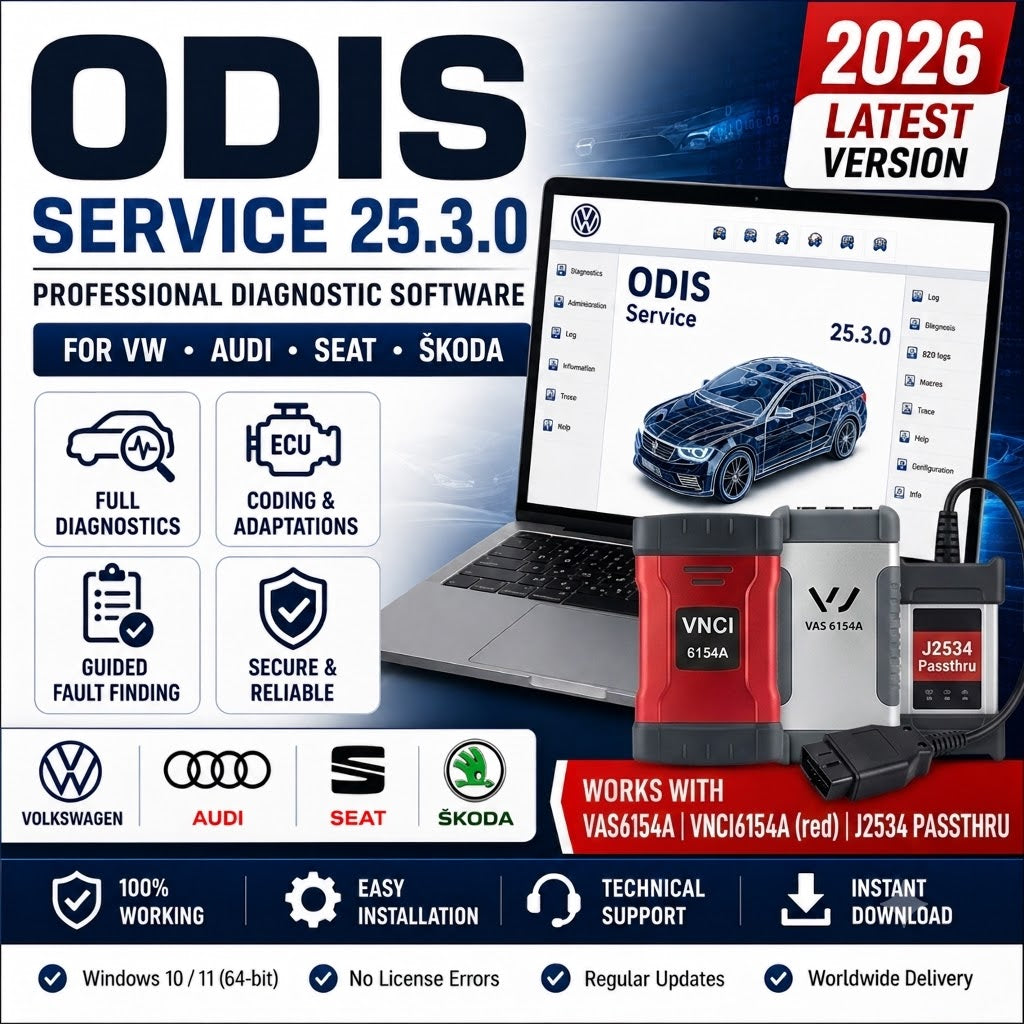
ODIS Service 25.3.0 (2026) Professional VAG Diagnostic Software for VW Audi Skoda Seat | Instant Download + Video Installation Guide 🚗🔧
ODIS Service 25.3.0 (2026) Professional VAG Diagnostic Software for VW Audi Skoda Seat | Instant Download + Video Installation Guide 🚗🔧
Couldn't load pickup availability
ODIS Service 25.3.0 (March 2026) is the most current release of Volkswagen Group's official dealer diagnostic platform — the Offboard Diagnostic Information System Service (ODIS-S) used by authorized VW, Audi, Skoda, Seat, Cupra, Bentley, Lamborghini, and Bugatti workshops worldwide. It provides complete dealer-level diagnostic access, Guided Fault Finding (GFF), ECU programming, coding, and all service functions for the entire VAG vehicle range from 2000 onward including the latest MEB and MQB Evo electric and hybrid models.
- Version: 25.3.0 (March 2026 — latest ODIS Service release)
- Brand: VAG (VW, Audi, Skoda, Seat, Cupra, Bentley, Lamborghini, Bugatti)
- Category: Diagnostic Software
- Vehicle coverage: All VAG Group vehicles from 2000 onward — including ID.3, ID.4, ID.5, ID.7, Audi Q8 e-tron, Porsche Taycan cross-platform
- Interface: VAS 6154A DoIP (primary), VAS 6154, VAS 5054A (legacy, limited), J2534 PassThru
- OS: Windows 10 or Windows 11 (64-bit)
- Java: OpenJDK 11
- Storage: 30 GB minimum free space on C drive
What This Version Is For
ODIS Service 25.3.0 is the correct starting point for any new VAG diagnostic environment or upgrade from an older ODIS version. As the most current release, it carries the most complete vehicle dataset including all 2024–2026 model year additions, the latest GFF (Guided Fault Finding) test plans, and the most current ECU software database for all VAG brands. It is the same version used by VW Group dealerships globally as of March 2026.
- Independent VAG workshops who need dealer-level diagnostic access for VW, Audi, Skoda, Seat, and Cupra vehicles
- Technicians who need the official GFF guided troubleshooting system — not available in VCDS or other aftermarket tools
- Workshops performing ECU programming, SVM coding, and component protection removal on current MQB Evo and MEB platform vehicles
- Users upgrading from ODIS Service 24.x or earlier who need coverage for 2025–2026 model year vehicles
ODIS Service vs ODIS Engineering — Understanding the Difference
ODIS comes in two separate applications — ODIS Service and ODIS Engineering — that serve different purposes and are both needed for a complete VAG diagnostic environment:
- ODIS Service (ODIS-S) — this download: The dealer service lane tool. Used for Guided Fault Finding (GFF), fault code reading and clearing, live data, adaptations, service resets, ECU flashing via SVM (online, dealer account), and all routine workshop operations. Requires online connection for SVM programming and certain coding operations.
- ODIS Engineering (ODIS-E): The engineering and development tool. Used for offline ECU programming and flashing, full variant coding access, long coding, parameterization, and all operations that ODIS-S restricts or requires online authorization for. Works with project files. No online account required for most functions.
- Which do you need: For a complete VAG workshop capability, both are required. ODIS-S for guided diagnostics and online SVM operations; ODIS-E for offline coding, programming, and retrofit work that ODIS-S cannot perform independently.
Key Functions — ODIS Service 25.3.0
- Guided Fault Finding (GFF): The most important function in ODIS-S — the official VW Group guided troubleshooting system. GFF provides step-by-step test plans, wiring diagrams, component locations, expected measurement values, and repair instructions linked directly to DTCs. GFF is exclusive to ODIS and cannot be replicated by VCDS, OBD Eleven, or any aftermarket tool.
- Full system DTC read and clear: Manufacturer-specific fault codes from every ECU in the vehicle — engine (ECM), transmission (TCM), ABS/ESP, SRS airbag, body (BCM), gateway (CAN gateway/SGW), driver assistance systems (ADAS), infotainment (MIB3), digital cockpit, and all other modules
- Live data and measuring blocks: Real-time parameters from all accessible ECUs — sensor values, adaptation channels, measuring blocks in both basic and extended format
- ECU flashing via SVM: Software Version Management — online ECU software updates using VAG's official server infrastructure. Requires an active VAG online account (GeKo or authorized equivalent). Downloads the correct calibration files for each specific vehicle and ECU combination from VAG servers.
- Adaptations and basic settings: Write adaptation values, perform throttle body calibration, steering angle sensor calibration, EPB bed-in, window initialization, sunroof calibration, and all standard VAG adaptation procedures
- Component protection coding: Handle component protection (CP) for replacement modules — removal and re-coding of component protection for infotainment, gateway, and other CP-enabled units (requires online account for CP removal on newer platforms)
- Service resets and maintenance: Oil service interval reset, inspection service reset, brake fluid counter, adblue reset, DPF regeneration, and all VAG-specific service maintenance functions
- DoIP diagnostics: Full DoIP (Diagnostics over Internet Protocol) support for MEB and MQB Evo platform vehicles — ID.3, ID.4, ID.5, ID.7, Golf 8, Audi Q4 e-tron, and all DoIP-architecture VAG vehicles from approximately 2020 onward
- ECU self-diagnosis: IST (Identification, Self-diagnosis, Test) scan across all installed control units — generates the complete vehicle electronic system map
- Output tests / actuator activation: Activate individual components, relays, solenoids, and actuators directly from ODIS to verify operation
- Estimated flash times: v25.3.0 feature — remaining time is now shown during ECU flash operations, allowing technicians to plan session duration
- GFF hotfix integration: Hotfixes for GFF test plans can now be integrated during active diagnostic sessions without requiring a full software restart
Vehicle Coverage — 25.3.0
- Volkswagen: All models — Golf (Mk3–Mk8), Passat (B5–B8), Tiguan (Mk1–Mk2), Polo (Mk4–Mk6), Touareg (Mk1–Mk3), T-Roc, T-Cross, ID.3, ID.4, ID.5, ID.7, Arteon, Touran, Sharan, Caddy, Transporter T5/T6/T7, Crafter, Amarok — 2000 through 2026 MY
- Audi: All models — A1/A3/A4/A5/A6/A7/A8, Q2/Q3/Q4/Q5/Q6/Q7/Q8, TT, R8, e-tron (Q8 e-tron), e-tron GT, Q4 e-tron, Q8 e-tron Sportback — all generations through 2026
- Skoda: Fabia, Octavia, Superb, Kodiaq, Karoq, Enyaq, Kamiq, Scala — all generations
- Seat / Cupra: Ibiza, Leon, Ateca, Arona, Tarraco, Cupra Born, Cupra Formentor, Cupra Leon, Cupra Ateca
- Bentley: Continental GT, Flying Spur, Bentayga, Mulsanne — ODIS-supported models
- Lamborghini: Gallardo (MY09–MY14 — immobilizer/radio PIN only), Aventador, Huracán, Urus
- Bugatti: Veyron, Chiron
- VW Commercial Vehicles: Transporter T6/T7, Crafter, Amarok V6 — all supported MAN TGE included
Hardware Compatibility — Important Notes
- VAS 6154A (DoIP) — Recommended: The VAS 6154A with DoIP support is the primary recommended interface for ODIS Service 25.3.0. It supports all current VAG protocols including DoIP for MEB/MQB Evo vehicles, provides stable WiFi and USB connection, and is required for online SVM programming.
- VAS 6154 — Supported: Compatible with ODIS Service 25.3.0 for CAN-based vehicles. Limited DoIP capability compared to 6154A. Suitable for pre-MEB platform vehicles.
- VAS 5054A — Limited support: The VAS 5054A is no longer the primary supported interface for current ODIS versions. VAS 5054A works reliably with older ODIS versions (up to approximately 7.2.1). On ODIS 25.3.0, VAS 5054A may have reduced stability and cannot communicate with DoIP vehicles. For current ODIS versions, upgrade to VAS 6154A.
- J2534 PassThru devices: Passthru support is included in ODIS-S. Compatible J2534 devices can be used for basic diagnostics and non-SVM operations. Note: most J2534 devices do not support ignition detection required for full programming sequences — VAS hardware is recommended for programming operations.
- VNCI 6154A / compatible DoIP adapters: Third-party VAS 6154A compatible devices (VNCI series, compatible clones) are supported with appropriate drivers.
What You Need Before You Start
- Compatible VCI interface — required: VAS 6154A DoIP (recommended) or VAS 6154. For DoIP vehicles (ID.3/ID.4/Golf 8 etc.), a DoIP-capable interface is mandatory.
- Operating system: Windows 10 or Windows 11 (64-bit). Windows 7 is not supported — ODIS 25.3.0 includes an OS check that blocks installation on Windows 7.
- C drive free space: Minimum 30 GB free space on the C drive — ODIS-S installs to the system drive and requires this space for operation and temporary files.
- Java Runtime: OpenJDK 11 — must be installed before ODIS setup or installed as part of the ODIS package.
- Online account (for SVM programming and certain coding): ODIS Service online functions including SVM ECU programming, GeKo online coding, and component protection removal require an active VAG dealer network account. These accounts are available separately through VAG authorized distributors.
- Battery support: Required during any ECU programming or flashing session.
System Requirements
- OS: Windows 10 or Windows 11 (64-bit) — Windows 7 blocked by installer
- Processor: Intel Core i5 or better
- Memory: 8 GB RAM minimum — 16 GB recommended
- Storage: 30 GB minimum free on C drive — SSD recommended
- Java: OpenJDK 11 required
- Interface: VAS 6154A DoIP (recommended) / VAS 6154 / J2534 PassThru
- Internet: Required for SVM programming and online coding — offline diagnosis works without internet
- Battery support: Required during ECU programming
Installation and Setup Notes
- Disable antivirus before extraction and installation — add ODIS directory to exclusions after setup
- Run installer as administrator
- Install OpenJDK 11 if not already present before running ODIS setup
- VCI driver installation: Install VAS 6154A drivers before launching ODIS for the first time — ODIS will prompt for hardware configuration on first launch
- Do not install on Windows 7 — the installer includes an OS version check that will terminate installation on unsupported OS versions
- C drive space check: Verify 30 GB free on C drive before starting — insufficient space is the most common installation failure cause
- Companion tool: Install ODIS Engineering 21.0.1 alongside ODIS Service for full coding and offline programming capability
Before You Download
- You work on VAG Group vehicles — VW, Audi, Skoda, Seat, Cupra, Bentley, or Lamborghini
- You have a compatible VCI interface — VAS 6154A DoIP recommended for current vehicles
- Your system runs Windows 10 or Windows 11 64-bit with 30 GB free on C drive
- For offline ECU programming and full coding.
Share